
How to Develop a Chatbot: Easy Steps to Success
Learn how to develop a chatbot easily with our guide. Discover tips to build, train, and launch your AI chatbot today!
Before you even think about building a chatbot, you need a mental shift. Don't see it as just another widget on your website. A properly built AI chatbot is a core business asset-one that works around the clock to automate tedious questions, capture leads, and build loyalty by giving customers the instant answers they crave.
This isn't just about cutting costs; it's about creating a powerful new engine for revenue.
Why a Custom Chatbot Gives You a Serious Edge
Let's be honest, in a world of instant gratification, nobody wants to wait. Making a customer sit around for an email response or wait in a support queue is a huge turn-off. This is where a custom AI chatbot becomes your secret weapon. It’s not about firing your support team; it's about giving them superpowers and creating a much smoother experience for everyone.
The market is screaming this from the rooftops. By 2025, the global AI chatbot market is projected to hit somewhere between $10 billion and $15 billion. That's a massive leap from $8.3 billion just a year before. This kind of explosive growth, clocking in at a compound annual rate of 24% to 30%, is happening because businesses are finally waking up to what this tech can do. For a deeper dive, you can explore more AI chatbot statistics and their market impact to grasp the full scale of this trend.
From Putting Out Fires to Driving Revenue
Think about it in real-world terms. For an e-commerce store, a chatbot isn't just a glorified FAQ for "Where's my package?". It’s a 24/7 sales associate. It can recommend the perfect pair of jeans based on a visitor's clicks or answer a tricky question about product materials that seals the deal.
It’s the same for a SaaS company. A smart chatbot can be an onboarding buddy, walking new users through their first steps and heading off confusion before it turns into churn. When help is instant and right inside the app, people stick around.
The real magic happens when your chatbot stops being a defensive shield for complaints and becomes an offensive tool for growth. The mindset shifts from "How can we handle fewer support tickets?" to "How can we actively drive more sales and keep users hooked?"
The Tangible Impact on Your Business
Once you build a chatbot with a clear mission, the results aren't just fuzzy feelings-they're measurable wins that show up in your bottom line. It directly tackles common business headaches and produces positive outcomes you can track.
Take a look at how a custom chatbot can solve problems across your organization:
Customer Support: It tackles the flood of repetitive questions-shipping status, return policies, account help-so your human experts can focus on the tricky, high-stakes conversations where they truly shine.
Sales & Lead Generation: The bot acts as a tireless qualifier. It can ask the right questions to identify a hot lead, book a demo right on your calendar, and snag contact info from visitors who would have otherwise bounced.
User Onboarding: For any software or service, a chatbot can be a proactive guide. It offers timely tips and mini-tutorials, helping users find that "aha!" moment faster and locking in their value for the long haul.
A well-designed chatbot isn't just a single solution; it's a versatile tool that can improve performance across multiple departments. The table below breaks down the specific problems a chatbot can solve and the kind of impact you can realistically expect.
| Business Area | Problem Solved | Expected Impact |
|---|---|---|
| Customer Support | High volume of repetitive queries; long wait times for agents. | 50-70% reduction in routine tickets; improved agent morale and focus on complex issues. |
| Sales | Losing leads after hours; slow follow-up on inquiries. | 24/7 lead capture; immediate engagement with potential customers, increasing conversion rates. |
| Marketing | Low engagement on landing pages; difficulty segmenting visitors. | Personalized interactions; guides users to relevant content, boosting time-on-page and lead quality. |
| User Onboarding | New users get stuck or confused; high initial churn rate. | Proactive, in-app guidance; reduces friction and improves user adoption and retention. |
Ultimately, integrating a chatbot is about creating a more efficient, responsive, and profitable business. It addresses critical friction points in the customer journey, turning potential frustrations into opportunities for growth.
Defining Your Chatbot's Purpose and Knowledge Base

Before you dive into any no-code platform, the most crucial work happens away from the screen. A great chatbot starts with a solid plan, not just fancy tech. This initial strategy is what separates a genuinely helpful assistant from a frustrating digital dead-end.
The very first thing you need to do is pin down its purpose. A chatbot that tries to be everything to everyone ultimately accomplishes nothing. You need to decide on its one primary job.
Choosing Your Chatbot’s Core Mission
What's the single most important task you need this bot to handle? I've seen many projects stall because the ambition was too broad. Resisting the temptation to build a jack-of-all-trades is absolutely key. You have to focus.
Think about these common, high-impact roles:
- Lead Generation Machine: Its main goal is to engage visitors, ask a few qualifying questions, and then capture contact info or book a demo. Simple and effective.
- 24/7 Support Agent: It focuses on answering the top 20% of repetitive questions that constantly flood your support team-things like "Where's my order?" or "What's your return policy?"
- Onboarding Specialist: Perfect for SaaS platforms or complex services. The bot can guide new users through the first few critical steps, pointing out key features to boost adoption and head off frustration.
Picking one primary mission will clarify every other decision you make as you build your own chatbot.
The idea of a conversational machine isn't new. It actually dates back to Alan Turing's famous 1950 paper on the "Turing Test," which proposed that a machine could be considered intelligent if its conversational skills were indistinguishable from a human's. It's fascinating to see how far those early concepts have come.
Curating the Perfect Knowledge Base
Once you’ve settled on a mission, your chatbot needs its "brain"-the data it will draw from to understand questions and provide answers. Let me be clear: the quality of this information is everything.
A chatbot fed messy, outdated, or irrelevant content will only give you messy, outdated, and irrelevant answers. The old saying "garbage in, garbage out" has never been more true.
Your job here is to become a data curator. You need to hunt down the most accurate and relevant documents your business owns. Think of it like building a small, specialized library exclusively for your new bot.
Excellent sources to start gathering include:
- Your Help Center or Knowledge Base: This is often the gold standard, already filled with well-structured questions and answers.
- Product Spec Sheets: Those detailed PDFs are perfect for training a bot to handle specific technical queries.
- Sales & Support FAQs: Collect the top questions your human teams are answering all day, every day.
- Key Website Pages: Don't forget your "About Us," "Services," and primary landing pages. They hold core business information.
By carefully selecting and cleaning up these sources, you aren't just uploading files. You're building the very foundation of your chatbot's intelligence and ensuring it will be a tool customers actually find helpful.
Alright, let's get into the fun part-actually building your first AI chatbot. We’ve done the planning, and now it's time to bring that strategy to life. I'll be walking you through this using Whisperchat.ai, a no-code platform that makes this process surprisingly fast. Seriously, you can have a basic bot up and running in less time than it takes to brew a pot of coffee.
The whole point of a no-code tool is to skip the complex programming. You’re in charge of the knowledge and the strategy; the platform handles the complicated AI stuff behind the scenes. When you first log in, you'll see a clean dashboard. This is your command center for creating and managing all your chatbots.
You’ll notice right away that you can create and organize multiple bots. It’s pretty common to have one bot dedicated to sales inquiries and a completely separate one for customer support, for example.
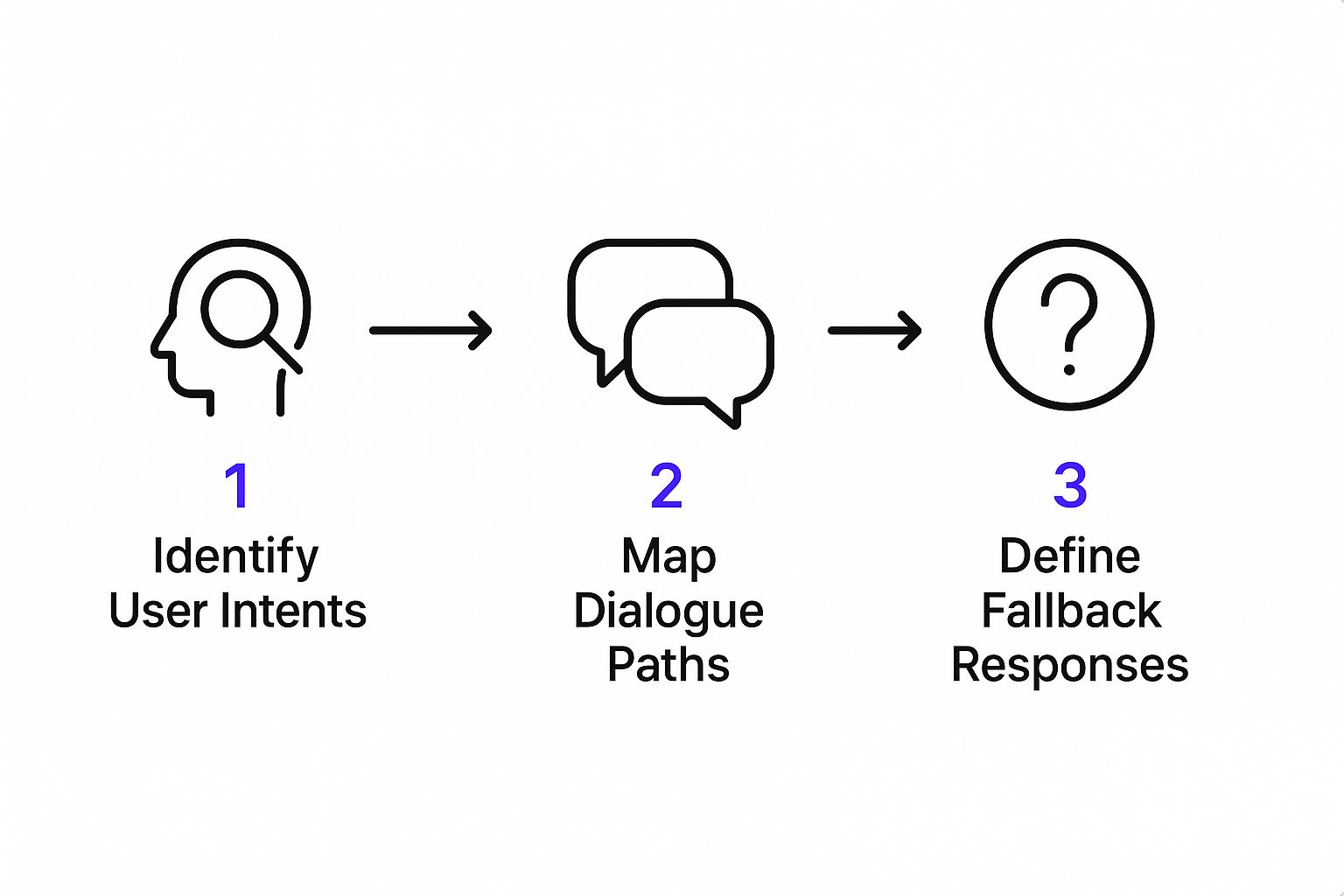
The interface is built to be intuitive, so you can move straight from idea to a working bot without needing a technical dictionary.
Giving Your Chatbot a Brain
The very first thing you need to do after creating a bot is to feed it information. This is where all those documents you gathered earlier become the chatbot's "brain." Whisperchat.ai gives you a few different ways to do this, so you can use your content no matter what format it's in.
Here are the main ways you can ingest your data:
- Website Crawling: This is my personal favorite for getting started quickly. Just drop in the URL of your website, blog, or help center. The system will automatically scan the pages, pull out the text, and use it to build the bot's knowledge base.
- File Uploads: Have a library of PDFs with product specs, Word docs with internal FAQs, or even plain TXT files? You can upload them directly. The platform will process the files and add the information to its brain.
- Direct Text Paste: Sometimes you just have a small, specific snippet of information you need the bot to know. For those one-off additions, you can simply copy and paste the text right into a field.
The beauty here is the flexibility. You don't have to spend hours reformatting your existing content into some special template. Just use what you've already got. This is a massive time-saver.
The Train, Test, and Refine Loop
Once your data is in the system, the AI gets to work training itself. It reads and analyzes all the content you provided, learning how different concepts and pieces of information relate to one another. And don't worry, this isn't a process that takes days. For most knowledge bases, the initial training is done in just a few minutes.
As soon as the training is complete, your bot is technically functional. But-and this is a big but-you absolutely must test it. Inside the dashboard, there's a testing window where you can immediately start throwing questions at your new creation.
My Pro Tip: Don't go easy on it. The goal is to find the breaking points before your customers do. Ask weirdly phrased questions, try to trick it with follow-ups, and ask about things you know you didn't give it information on. This is how you find the gaps in its knowledge.
When the bot stumbles, and it will, you can quickly fix it. Did it get confused about a certain product feature? Upload a new, more detailed document about it or paste in a clarifying paragraph and click "Retrain." This cycle of testing, refining, and re-testing is the secret sauce to creating a bot that's genuinely helpful and not just a frustrating gimmick.
Fine-Tuning Your Chatbot for Personality and Precision
Alright, you’ve built your chatbot. The foundation is there. Now comes the part where we turn a functional tool into something truly special-an assistant that not only answers questions but also feels like a genuine part of your team. This is where the magic really happens.
Think of it this way: anyone can set up a generic bot. But a great bot, one that customers remember and trust, has a distinct personality and gets the answers right. The first thing we need to tackle is its personality, which all comes down to the base prompt.
Nailing the Base Prompt
The base prompt is the soul of your machine. It’s the core set of instructions that defines your chatbot's character, its role, and what it should and shouldn't do. I've seen too many people use a vague prompt like, "Be a helpful assistant." That’s just not enough to go on.
Let's get specific. Imagine you run an online store for high-end leather goods. A weak prompt is forgettable. A powerful one gives the AI a clear identity.
Try something like this: "You are 'Sleek,' a stylish and friendly shopping assistant for our premium leather goods store. Always use a witty and encouraging tone. Never discuss competitor products or offer discounts unless they are listed in your knowledge base."
See the difference? That level of detail gives the bot guardrails, ensuring it stays on-brand and performs its job flawlessly.
A chatbot’s personality isn't just window dressing; it's a core part of the user experience. When a bot’s voice aligns with your brand, interactions feel more authentic, building the kind of trust that encourages people to stick around.
Once the personality is dialed in, we shift our focus to accuracy. This isn't a one-and-done task. It's a continuous loop of testing, finding the weak spots, and feeding the bot new information to make it smarter.
The Cycle of Test, Train, Repeat
Your first training session is just the beginning. To build a chatbot that truly shines, you have to put on your customer hat and try to stump it. Seriously, try to break it.
Here are a few testing strategies I use all the time:
- Throw it curveballs: Don’t just ask "What is your return policy?" Try phrasing it differently, like a real customer would: "What if I get this and don't like it? Can I send it back?"
- Find the knowledge gaps: Ask about things you know aren't in its knowledge base. This is the fastest way to find out what information you're missing.
- Check its memory: Have a real conversation. Ask a follow-up question. Does it remember the context of what you just talked about, or does it reset with every new prompt?
Every time your bot stumbles or gives a less-than-perfect answer, you've found an opportunity. Just pop back into your Whisperchat.ai dashboard, upload a new document with the missing info, or add a quick text snippet. Hit "Retrain," and you've made it a little bit better.
This constant refinement is what separates a decent chatbot from an indispensable one. Keeping an eye on these conversations is key, and you can dive deeper into how to track them effectively by understanding chatbot analytics. The data you gather there is pure gold for your next round of training.
This isn't just a technical chore; it's a strategic move. The entire industry is making a huge bet on this technology. Projections show the global chatbot market is expected to explode to USD 27.29 billion by 2030. That incredible growth is happening because businesses are using bots to automate support and forge stronger connections with their customers. You can read a full analysis about the global chatbot market's future to grasp just how big this opportunity is.
Getting Your Chatbot Live On Your Website
Alright, you’ve put in the work. Your AI assistant has been fed the right data, you’ve tested its responses, and now it’s time for the final, most exciting part: putting it on your website so it can start interacting with real visitors. This is where all your efforts pay off.
Thankfully, with a no-code platform like Whisperchat.ai, this isn't a highly technical, sweat-inducing process. You don't need to touch a single line of your site's core code. The platform gives you a small snippet of Javascript-think of it as a little key that unlocks the chatbot on your site. You just copy this key and paste it into the right spot.
Embedding Your Chatbot: It's Easier Than You Think
Don't let the word "code" scare you. You don’t need to be a developer for this. The script is self-contained and ready to go. Your only job is to paste it into a global area of your website’s backend, usually the header or footer. This ensures the chat widget shows up on every single page, ready to help a visitor no matter where they land.
But where exactly does this code go? It depends on the platform your website is built on. Here’s a quick-reference table I put together to help you find the right spot in some of the most popular builders out there.
Embedding Your Chatbot on Popular Platforms
| Platform | Where to Paste Code | Pro Tip |
|---|---|---|
| WordPress | In your theme options, look for a "Header/Footer Scripts" or "Custom Code" section. You can also use a simple plugin like "Insert Headers and Footers." | The plugin method is often the easiest and safest, as it won't be affected if you switch themes later on. |
| Shopify | Go to Online Store > Themes > Actions > Edit code. Find the theme.liquid file and paste the script just before the closing </body> tag. |
Placing it before the </body> tag is a web development best practice. It ensures the rest of your page content loads first, so the chatbot doesn't slow down the user's initial view. |
| Webflow | From your project dashboard, go to Site Settings > Custom Code and paste the script into the "Footer Code" box. | Webflow makes this incredibly straightforward. Using the footer code section automatically applies the script across your entire site. |
Pasting the code is usually a one-and-done task. Once it's in place, your chatbot is live and ready to engage with every visitor.
A Quick Final Polish Before Launch
Hold on! Before you copy that code, take 30 seconds for one last check in your Whisperchat.ai dashboard. You can fine-tune the chat widget's appearance to make it look like a natural part of your website, not a tacked-on extra.
A few things to look at:
- Chat Icon: Pick one that stands out just enough to be noticed.
- Color Scheme: Adjust the colors to match your brand’s palette perfectly.
- Welcome Message: This is your bot’s first impression. Make it welcoming and guide the user on how to start the conversation.
This little bit of polish makes a massive difference in how users perceive the bot. It's a critical detail when you automate customer support because it builds trust and makes the bot feel like a genuine extension of your brand, not just a robot in a box. It’s how you get the absolute most out of the chatbot you just built.
Answering Your Questions About No-Code Chatbot Development

When you're thinking about building a chatbot for your business, it's natural for a few questions to pop up. Moving from an idea to a fully functioning assistant on your website can feel like a big leap, but no-code tools are built to make it surprisingly simple. Let’s tackle some of the most common things people ask.
A big one I hear all the time is about the technical side of things. Do you actually need to know how to code to pull this off?
The answer is a straightforward no. These platforms are built for business owners, marketers, and support teams, not developers. If you can use standard office software and find your way around a website, you already have all the skills required. The platform’s interface does all the heavy lifting, letting you focus on what your chatbot knows and how it communicates, without ever touching a single line of code.
What Kind of Data Makes for the Best Training?
The best chatbots are trained on high-quality, focused information that directly answers the kinds of questions your customers are actually asking. It’s all about quality, not quantity.
A well-curated set of a few dozen high-quality documents will build a far smarter and more reliable chatbot than one fed a massive, disorganized pile of random files. Precision is the goal, not overwhelming the AI.
You probably already have the perfect training materials on hand. The best sources are things like:
- FAQ Pages: This is the low-hanging fruit-perfectly structured to teach a bot your most common questions and answers.
- Knowledge Base Articles: This content is pure gold because it’s already designed to be helpful and solve problems.
- Product Spec Sheets: For those nitty-gritty technical questions, these documents provide the definitive answers.
- Service Descriptions: Key pages from your website are fantastic for defining exactly what you offer.
How Long Does It Really Take to Go Live?
This is where the magic of no-code really shines. You can genuinely go from signing up to having a working chatbot on your website in under an hour.
Honestly. Uploading your documents might take 10-15 minutes, the AI training process finishes in just a few more, and the rest of the time is spent tweaking the look and feel before you copy and paste the embed code onto your site. This is a world away from the months-long development cycles of the past.
But what happens after you launch? A great chatbot is never really "done." You can-and should-update its knowledge base as your business evolves. Modern platforms let you easily add new documents, swap out old files, or remove outdated info whenever you need to. Just upload the new data, click to retrain the bot (which takes seconds), and your chatbot is instantly smarter.
Ready to see just how fast you can get an expert AI assistant working for your business? With Whisperchat.ai, you can turn your existing company documents into a helpful chatbot in minutes. Start your free trial today and deploy your first bot!