
Your Guide to a Chatbot in Ecommerce Success
Unlock growth with our complete guide to a chatbot in ecommerce. Learn how AI boosts sales, enhances customer service, and drives measurable results.
Think of an ecommerce chatbot as your best employee. It's the brilliant, tireless sales assistant who’s on the clock 24/7, ready to help every single person who lands on your website. This isn't just a piece of software; it's a fully scalable team member that can greet visitors, answer questions in a heartbeat, and craft shopping experiences that feel surprisingly personal.
The New Personal Shopper on Your Website
Imagine if every visitor to your online store was met by their own dedicated personal shopper. An assistant who never needs a coffee break, works every holiday, and has your entire product catalog memorized. That’s exactly the role a modern chatbot for ecommerce plays. It’s moved way beyond a simple Q&A tool and has become a powerful engine for conversational commerce.
This technology acts as a proactive guide, helping customers find what they’re looking for, much like a friendly associate in a brick-and-mortar store. It's built to understand what a customer wants, field questions about everything from shipping policies to product specs, and steer them toward the right purchase. This kind of instant, on-demand support is what builds the confidence needed to click "buy."
Shifting from Queries to Conversations
Today's AI-powered chatbots don't just wait for questions-they start conversations. They can ask follow-up questions to clarify what a shopper is looking for and serve up personalized recommendations based on browsing history or items in the cart. This change from a passive FAQ bot to a proactive sales assistant completely transforms the customer journey, making it far more interactive and genuinely helpful. The idea is to make online shopping feel less like a transaction and more like a conversation.
This shift is creating some serious business value, too. Thanks to advancements in AI, chatbots are expected to deliver global cost savings of up to $11 billion annually and cut down nearly 2.5 billion customer service hours.
Chatbot vs Human Agent Key Task Comparisons
While chatbots excel at speed and scale, human agents bring a level of nuance and empathy that technology can't replicate. Here’s a quick look at how they stack up on common tasks.
| Task | Chatbot Approach (Automated & Scalable) | Human Agent Approach (Personal & Complex) |
|---|---|---|
| Answering FAQs | Instantly pulls answers from a knowledge base, 24/7. | Provides detailed, contextual answers, but only during work hours. |
| Order Tracking | Automatically fetches order status using an order number. | Manually looks up order details and can handle any shipping issues. |
| Product Recommendations | Suggests items based on browsing data, past purchases, or keywords. | Asks insightful questions to understand needs and makes nuanced suggestions. |
| Handling Complaints | Follows a script to gather information and can escalate to a human. | Listens with empathy, de-escalates situations, and finds creative solutions. |
| Processing Returns | Guides users through a standard return process automatically. | Manages complex or non-standard returns, including exchanges or store credit. |
Ultimately, the best strategy combines the strengths of both, letting chatbots handle the routine work so your human team can focus on the customers who need them most.
A Scalable and Strategic Business Asset
At the end of the day, a chatbot is much more than a customer service tool. It’s a strategic asset that directly drives revenue. By answering questions on the spot, it eliminates the friction and uncertainty that lead people to abandon their carts. By offering smart, personalized suggestions, it helps increase the average order value.
A well-implemented chatbot does more than answer questions-it creates a guided shopping journey that turns browsers into buyers and first-time customers into loyal fans.
By taking over the repetitive, everyday tasks, it frees up your human support team to focus on the more complex, high-value customer problems where they can really shine. This dual role-improving the customer experience while making your operations more efficient-is precisely why a chatbot is no longer a nice-to-have but a core part of any modern ecommerce strategy.
How a Chatbot Drives Real Business Growth
An ecommerce chatbot is a lot more than just a neat feature for customers-it's a serious engine for real business growth. When you look past the basic functions and focus on the direct outcomes, you start to see how this technology can actually impact your bottom line. The goal isn't just to have a bot; it's to put a strategic asset to work that's built to boost revenue and efficiency.
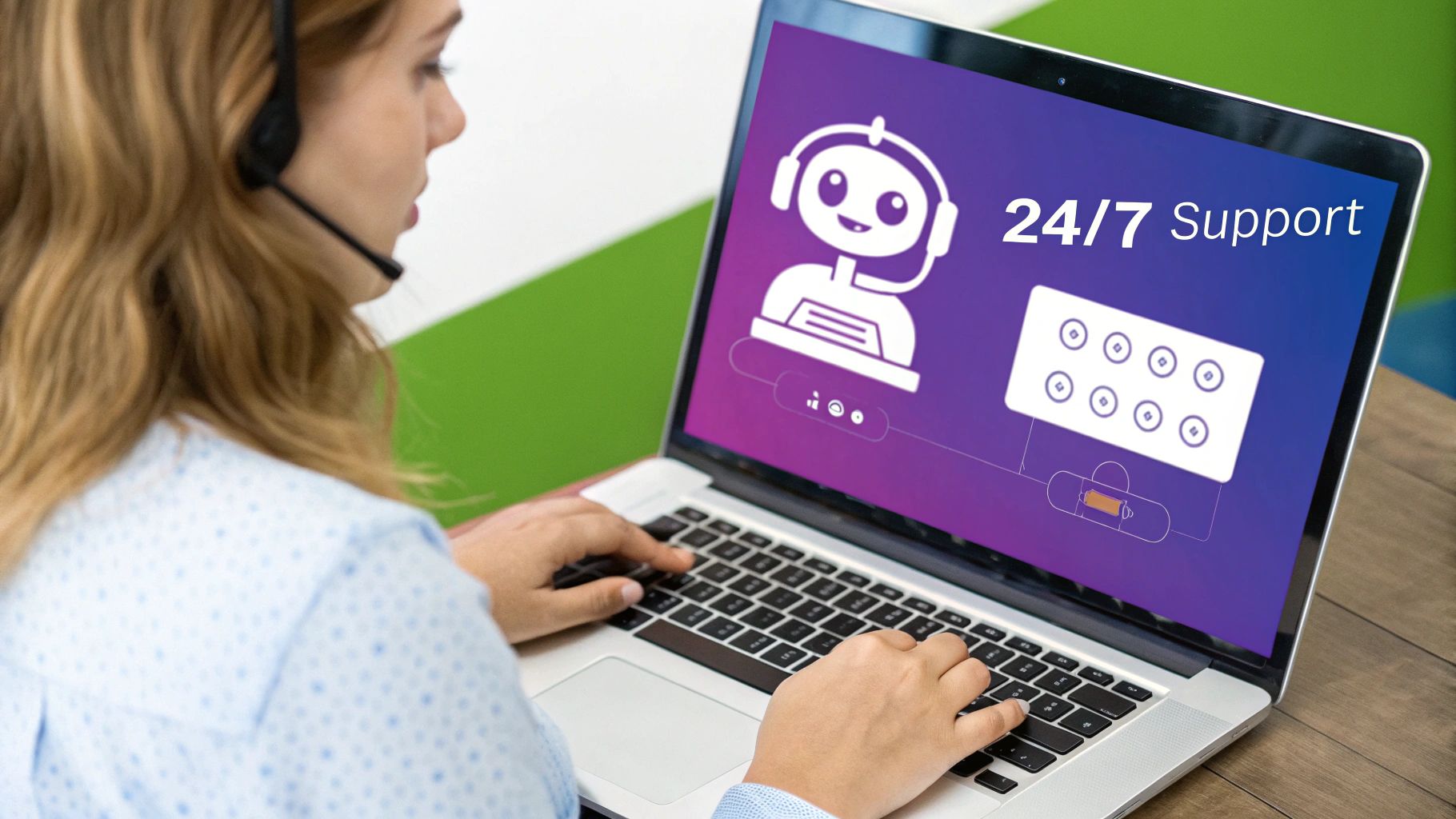
The most obvious impact is its constant availability. Your online store is always open, so why shouldn't your sales support be? A chatbot offers 24/7 assistance, catching sales from night owls or customers in different time zones who would otherwise bounce if their questions went unanswered. This always-on presence means no potential customer is lost just because they showed up after hours.
Slashing Cart Abandonment Rates
Every online retailer fights the battle against abandoned carts. It’s a huge headache, usually triggered by last-minute friction-a customer gets confused about shipping costs, can't find the return policy, or has a final question about a product. This is where a chatbot steps in as an on-the-spot problem solver.
When a shopper pauses at checkout, the bot can pop up and provide that missing piece of information instantly. This immediate clarification clears up any doubt and gives them the confidence to click "buy." Instead of making someone hunt for an FAQ page and lose their buying momentum, the bot keeps them right in the checkout flow, directly recovering sales you would have otherwise lost.
By providing instant answers and personalized guidance at the exact moment a customer needs it, a chatbot transforms hesitation into conversion, directly boosting your revenue.
This kind of proactive support is a game-changer. It’s the digital version of a sharp store associate who sees a customer looking puzzled and steps in to help-a classic and effective way to close a sale.
Increasing Average Order Value
Securing the sale is one thing, but a well-programmed chatbot is a master at increasing its value. It acts like a personal shopper, making smart, data-backed recommendations that feel genuinely helpful, not just like an aggressive upsell.
Here’s how a chatbot can get each customer to spend a little more:
- Smart Upsells: A customer adds a product to their cart, and the chatbot suggests a premium model with better features, clearly explaining the benefits. For example, pointing out the waterproof version of a popular speaker.
- Strategic Cross-sells: It can also recommend complementary items that make the original purchase even better. Think suggesting the perfect cleaning kit for a new pair of leather shoes or the right batteries for an electronic toy.
- Bundled Deals: The bot can also offer special discounts on product bundles, nudging customers to buy a few items together to get more for their money.
These tailored suggestions introduce shoppers to products they might have missed, giving your average order value (AOV) a significant lift over time. For more ideas on how advanced AI can shape sales, it's worth exploring ways of leveraging ChatGPT for sales strategies.
Driving Significant Operational Savings
Finally, you can’t overlook the massive impact on your operational costs. A chatbot automates all those high-volume, repetitive questions that eat up your support team's day. Things like "Where is my order?," "How long does shipping take?," and basic product questions can all be handled by the bot in seconds.
This automation frees up your human agents to focus on the more complex, high-value customer issues that actually require their expertise. You not only cut down on support costs but also improve the quality of your customer service. Your team can now focus on building relationships and solving the tricky problems, resulting in a leaner, more effective support operation.
Putting Your Chatbot to Work on Your Store
Alright, enough with the theory. Let's get into the good stuff: how a chatbot actually becomes a powerhouse sales and support engine on your website. Modern bots do way more than spit out canned answers; they build interactive experiences that steer customers, save lost sales, and pull in priceless feedback.
Think of these use cases as little stories. Each one starts with a common shopper problem and ends with an elegant, automated solution from your chatbot.

This is precisely why retail and ecommerce eat up roughly 30% of all chatbot usage. While other industries use them for generating leads or handling basic questions, ecommerce is where chatbots directly make you money. If you're curious, you can dig into more chatbot statistics to see just how widely they're used everywhere.
Guiding Shoppers with Interactive Quizzes
Picture this: a customer lands on your site, ready to buy the perfect pair of running shoes, but they're immediately buried under dozens of options. Instead of letting them click around aimlessly until they give up, your chatbot can jump in and start a conversation.
A chatbot can kick off a simple, friendly quiz:
- Ask about their goals: "What kind of running are you doing? Hitting the trails, pounding the pavement, or on a treadmill?"
- Dig into preferences: "Are you looking for a super-cushioned feel or something more lightweight and responsive?"
- Clarify their needs: "Training for a specific distance, like a 5k or a full marathon?"
Based on their answers, the bot instantly serves up a curated list of 2-3 perfect recommendations, complete with product images and links. Just like that, you've turned a potentially frustrating hunt into a fun, personalized shopping trip-like having a sales expert right there with them.
Proactively Recovering Abandoned Carts
Ah, the dreaded abandoned cart. It's a constant headache for any store owner, but a chatbot can be your first line of defense. When a shopper adds items to their cart and then stalls on the checkout page, the bot can pop up to give them a gentle nudge.
It might say something like, "Hey, looks like you've got some great stuff in your cart! Any questions about shipping or returns before you check out?" That simple prompt is often all it takes to clear up a last-minute doubt that was holding them back.
A proactive chatbot turns moments of hesitation into opportunities for conversion. By addressing potential roadblocks in real-time, it effectively rescues sales that would otherwise be lost.
Want to make it even more powerful? Program the chatbot to offer a small, time-sensitive discount, like a 10% off code, to sweeten the deal. This little trick is incredibly effective at getting hesitant shoppers over the finish line.
Providing Real-Time Order Tracking
"Where's my order?" It’s easily the most common question your support team gets, and answering it over and over again is a huge time sink. A chatbot can completely automate this, giving your customers the instant answers they want and giving you a huge efficiency boost.
By connecting directly to your ecommerce platform (like Shopify or BigCommerce), the chatbot can:
- Ask for an order number right in the chat.
- Instantly pull the live shipping status from the carrier's system.
- Display the tracking info and expected delivery date without the customer ever having to leave your site.
This single feature works wonders for the post-purchase experience. It builds trust, keeps customers happy, and slashes the number of repetitive support tickets, freeing up your human agents to handle the truly complex issues that need a personal touch.
Collecting Valuable Customer Feedback
We all know we need customer feedback to improve, but getting people to fill out boring surveys is like pulling teeth. A chatbot makes this process feel more natural and conversational.
A few days after an order arrives, the chatbot can reach out with a simple, "Hi [Customer Name]! We see your order was delivered. On a scale of 1-5, how are you liking your new product?" Depending on their rating, it can ask a follow-up, like "What did you love most about it?" or "We're sorry to hear that. How could we make it better?"
This back-and-forth feels less like a formal survey and more like a quick chat, which means you'll get much higher response rates. The feedback you collect is pure gold-direct, honest insights you can use to make your products and customer experience even better.
Your Blueprint for Chatbot Implementation
Bringing a chatbot to life might sound like a huge technical hurdle, but it's really more like assembling a new piece of furniture than building it from the ground up. If you break the process down into clear, manageable steps, you can launch a powerful chatbot for your ecommerce store with confidence-no coding background required. Think of this as the blueprint for your new digital employee.
The whole process is about defining your goals, picking the right tools, mapping out the user experience, and then plugging it all into your existing systems. Each stage builds on the last, making sure you end up with a chatbot that doesn't just answer questions but actually helps your business grow.
The infographic below lays out the key metrics you'll want to watch as you move from setup to fine-tuning. Keep an eye on chat volume, response time, and, of course, the ultimate goal: your conversion rate.
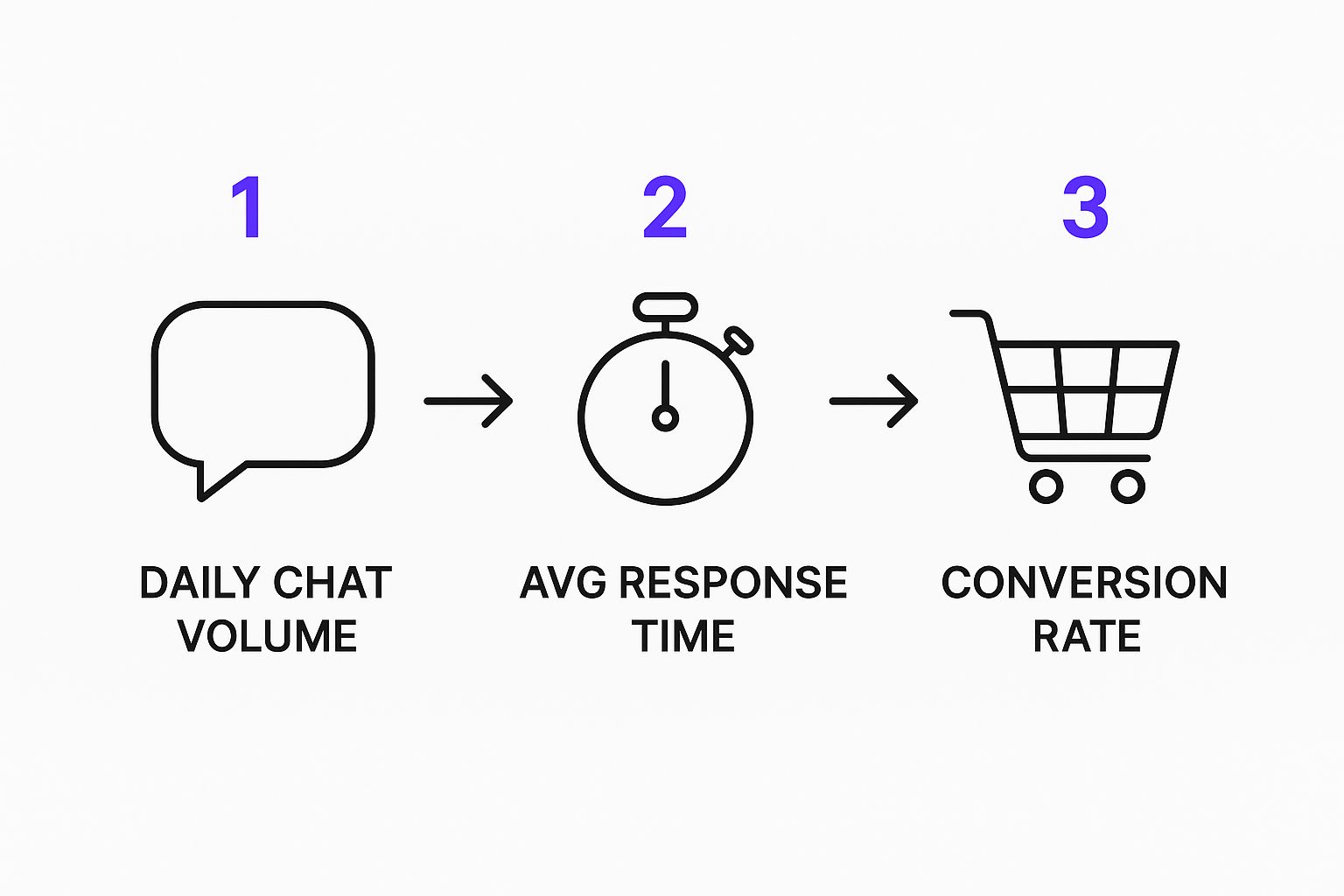
As you can see, the connection is direct. The more efficiently you handle chat interactions, the faster your service becomes, which has a real impact on a customer's decision to buy.
Step 1: Define Your Core Business Goals
Before you even think about what your chatbot will say, you have to decide what you want it to do. A chatbot without a clear purpose is like a ship without a rudder; it might look impressive, but it’s not going anywhere useful. Setting specific, measurable goals is easily the most important part of this whole process.
So, where do you start? Look at your biggest pain points or untapped opportunities. Are you buried under a mountain of repetitive support tickets? Do you want to nudge your average order value higher with smart upselling? Or is your main focus on stopping cart abandonment by giving people instant answers at checkout?
Pinpoint one or two primary goals to kick things off. For instance:
- Goal 1: Cut down on "Where is my order?" tickets by 50% within three months.
- Goal 2: Boost chatbot-assisted sales conversions by 15% in the first quarter.
Having these clear targets will act as your North Star, guiding every decision you make from here on out.
Step 2: Choose the Right Chatbot Platform
Next up, you need to pick the engine that will power your bot. Your choice here really comes down to your goals, your budget, and how much technical muscle you have on your team. The market is full of options, but they mostly fall into two camps: rule-based and AI-powered.
A rule-based chatbot is like a flowchart. It follows a fixed script and is fantastic for simple, predictable jobs like answering basic FAQs or walking a customer through a standard return. These are often cheaper and quicker to get up and running.
An AI-powered chatbot, on the other hand, uses natural language processing (NLP) to understand what people are actually asking, making the conversation feel much more human. It can handle a huge variety of questions and gets smarter over time by learning from each interaction. For the fast-paced world of ecommerce, an AI bot is almost always the better bet.
A key piece of advice: when you're looking at platforms, prioritize ease of use and how well it connects with your other tools. A no-code solution lets you train an AI bot on your own data-like your product pages or shipping policies-without ever needing to talk to a developer.
This approach massively cuts down your implementation time and puts your own team in the driver's seat.
Step 3: Design the Conversation Flow
With your goals set and your platform chosen, it's time for the creative part: designing the conversations. This is where you map out every possible user journey to make sure interactions are smooth, helpful, and sound like you. A clunky, frustrating conversation is a surefire way to drive customers away.
Start by outlining the most common things your customers want to do, like tracking an order, asking about a product, or starting a return. For each one, create a logical path that gets the user to their answer as quickly as possible. Use a good mix of buttons, pre-set replies, and open-ended questions to keep things feeling natural and efficient.
And don't forget to inject your brand's personality! Is your tone fun and a little quirky, or more professional and straight to the point? Whatever your voice is, make sure it comes through loud and clear in every chat.
Step 4: Integrate and Launch Your Chatbot
The final piece of the puzzle is connecting your chatbot to all your other business systems and setting it live. This is what turns a simple Q&A bot into a true workhorse for your operations. For any ecommerce chatbot, the must-have integrations are with your store platform (like Shopify or WooCommerce), your CRM, and your help desk software.
When getting your chatbot ready for your store, you'll want solid integrations with leading conversational AI platforms like Octane AI to make sure everything runs without a hitch. These connections are what allow your bot to pull real-time information, like an order's shipping status or a customer's purchase history, and even perform actions like creating a new support ticket.
Once everything is connected, test it relentlessly. Go through every conversation flow you can think of to find any bugs or dead ends. After you're confident it's working like a charm, you can finally deploy it on your website and start seeing how real customers interact with it.
Best Practices for a High-Performing Chatbot
Getting a chatbot live on your site is just the beginning. The real magic happens when you continuously tweak and improve it, turning a simple tool into a genuine asset for your business. Sticking to a few key best practices is what separates a helpful, brand-building assistant from a frustrating digital roadblock.
Think of it this way: your chatbot is a new member of your team. It needs to sound and act like it belongs, consistently reflecting the same personality and values your customers have come to expect. When you get this right, you build trust and make every interaction feel natural, not robotic.
Craft a Distinct Brand Personality
Your chatbot shouldn't sound like a generic, off-the-shelf robot. It needs a personality that’s a perfect match for your brand’s voice. Are you playful and fun? Or more professional and straight to the point? Your bot’s responses should echo that tone to create an experience that feels authentic and memorable.
To start shaping this personality, ask yourself a few questions:
- What's our brand archetype? Are we the expert guide, the friendly neighbor, or the witty innovator?
- How should customers feel after talking to our bot? Supported, entertained, or just efficiently served?
- What kind of language do we use? Is it okay to use emojis and a more casual tone, or do we stick to formal language?
Once you've defined this voice, it needs to be consistent in every interaction, from the first "hello" to the final "goodbye." This little bit of effort makes the entire experience feel cohesive and subtly reinforces what your brand is all about.
A chatbot with a well-defined personality does more than just answer questions-it builds brand affinity. It turns a functional interaction into an engaging experience that customers will remember positively.
It's also smart to consider cultural differences in how people perceive AI. For example, recent research shows that three out of five people in emerging markets trust AI, while only two out of five in advanced economies feel the same way. This insight can help you decide how warmly your bot should introduce itself. You can find more details in this report about global AI chatbot trends to tailor your approach.
Ensure a Seamless Human Handover
Let’s be realistic: no matter how smart your bot is, it’s going to run into a question it can’t answer or a problem that’s just too complex for automation. This is the moment of truth where a smooth, seamless handover to a human agent is absolutely critical. A dead end here is one of the fastest ways to lose a customer for good.
The handoff process needs to be completely frictionless. The chatbot should be smart enough to recognize its own limits and offer to connect the user to a live agent without any hassle. The real gold standard is when the entire chat history gets transferred, too, so the customer doesn't have to repeat everything they just typed-a universal point of frustration.
Design clear triggers for when to bring in a person:
- High-Emotion Keywords: The bot should detect words like "angry," "frustrated," or "complaint" and immediately offer a connection to a human.
- Repeat Questions: If a user asks the same question multiple times in different ways, it's a clear signal the bot isn't helping. Time to escalate.
- Complex Purchase Decisions: For high-value or highly customized products, a quick connection to a sales expert can be the nudge a customer needs to click "buy."
For a deeper dive into creating these kinds of effective bot interactions, check out our comprehensive guide on chatbot best practices.
Engage Proactively and Personalize
Don't just sit back and wait for the customer to start a conversation. A truly high-performing chatbot in ecommerce should be proactive, jumping in to engage visitors at just the right moment. This simple shift turns the bot from a passive Q&A tool into an active sales assistant.
For example, imagine a visitor is lingering on a product page, maybe hesitating. The chatbot can pop up with a simple, helpful message like, "Hi there! Have any questions about the sizing or materials?" That timely nudge can be all it takes to clear up a doubt and move them toward the checkout.
You can also make these interactions far more dynamic with rich media. Instead of just listing product names in a boring text format, show them off with interactive product carousels that users can swipe through right inside the chat window. It makes the shopping experience more visual and fun, helping customers discover products they'll love.
How To Know If Your Chatbot Is Actually Working (And Making You Money)
So, you’ve set up a chatbot. Great first step. But how do you know it's actually pulling its weight and not just a fancy widget on your site? To prove it’s a smart investment, you need to go beyond just counting conversations and look at the numbers that really matter to your business.
We're not just asking if the bot is busy; we're asking if it’s effective.

Tracking the right metrics will tell you exactly where your chatbot is a rockstar and where it might be stumbling. This isn't just about collecting data; it's about getting a clear picture of its return on investment (ROI) to justify the cost and guide your strategy moving forward.
The Metrics That Truly Matter
It’s easy to get bogged down in a sea of data. Let's cut through the noise and focus on the KPIs that show how your chatbot is impacting customers and your bottom line.
Here’s what you should be watching closely:
- Goal Completion Rate: Think of this as the bot's success rate. Did the customer who wanted to track their order actually get the tracking info? Did the person looking for a specific product find it? A high completion rate means your bot is genuinely helpful.
- Customer Satisfaction (CSAT) Score: This is the most direct feedback you can get. A simple "Did we solve your problem?" survey after a chat tells you exactly how people feel about the experience. It's your window into customer sentiment.
- Chatbot-Influenced Conversion Rate: This one is huge. It tracks how many people make a purchase after talking to your chatbot. This metric directly connects your bot's activity to real sales.
- Support Ticket Reduction: Count the number of emails and calls your human team handles before and after the chatbot goes live. Seeing a 60-70% reduction in common questions is typical and shows a massive win for efficiency.
To get the full picture, it's also smart to see how these numbers fit in with your site's overall performance. Understanding a few key website metrics for growth will give you the context you need to evaluate your chatbot's contribution properly.
Essential Chatbot Performance Metrics
To make this even clearer, here’s a quick-reference table of the KPIs you should be tracking to measure your chatbot's effectiveness and its overall return on investment.
| Metric | What It Measures | Why It's Important |
|---|---|---|
| Goal Completion Rate | The percentage of users who successfully finish their intended task via the chatbot. | Shows how effective and well-designed your chatbot is at resolving user needs. |
| Customer Satisfaction (CSAT) | User happiness with the chatbot interaction, usually measured on a 1-5 scale. | Provides direct feedback on the user experience and identifies areas for improvement. |
| Chatbot-Influenced Conversions | The rate at which users who interact with the bot go on to make a purchase. | Directly links the chatbot to revenue generation, proving its commercial value. |
| Support Ticket Reduction | The decrease in support queries (emails, calls) handled by human agents. | Quantifies cost savings and operational efficiency gains from automation. |
| Bot Escalation Rate | The frequency at which a conversation is handed over to a human agent. | Helps identify gaps in the chatbot's knowledge or complex issues it can't handle. |
Keeping an eye on these indicators gives you a powerful, data-backed story to tell about your chatbot's performance.
Calculating Your Chatbot ROI
Putting it all together to calculate your ROI is where the real proof comes in. This is how you show that the chatbot isn't just another expense but a tool that generates revenue and creates efficiencies.
Think of ROI this way: it’s the value your chatbot creates (more sales, fewer support costs) minus what you pay for it. Simple as that.
The math can get detailed, but the basic idea is to add up the financial gains-like revenue from chatbot-driven sales and the money saved on agent time-and then subtract the cost of the chatbot software. If you want to dive deeper, our guide on how to calculate your chatbot ROI walks you through every step. Check it out at: https://www.whisperchat.ai/blog/chatbot-roi. It’ll give you everything you need to build a rock-solid case for your chatbot's value.
Common Questions About Ecommerce Chatbots
Even with all the clear upsides, I get it-jumping into the world of chatbots can bring up some practical questions. It’s smart to get straight answers before you decide if this technology is the right fit for your business.
Let's walk through some of the most common things I hear from store owners when they're thinking about adding a chatbot.
How Much Does an Ecommerce Chatbot Cost?
The price tag on a chatbot can swing pretty widely. For smaller businesses just getting started, you can find simple, no-code platforms that run anywhere from $50 to $100 a month. These are perfect for fielding basic questions and helping shoppers find what they need.
On the other end of the spectrum, more advanced AI chatbots that plug directly into your inventory, CRM, and other business systems can cost several hundred or even thousands of dollars monthly. And if you go the custom-built route, you’re looking at a larger upfront investment. The real key is finding that sweet spot where the features and the price match what your business actually needs.
Will a Chatbot Replace My Customer Service Team?
Nope, not at all. A chatbot is there to support your team, not replace it. Think of it as your first line of defense. It’s fantastic at instantly answering the same questions you get over and over again-"Where's my order?" or "What's your return policy?"
By automating those simple tasks, you free up your human agents to handle the tricky, high-value conversations that really need a human touch. This lets you build a smarter customer service operation where the tech handles the routine stuff, and your people focus on building relationships.
A chatbot works best as a partner to your human team. It filters the simple queries, allowing your experts to dedicate their time to customers who need them most, improving both efficiency and service quality.
Can a Chatbot Actually Increase My Sales?
Absolutely. A good chatbot can be a sales-boosting machine for a few key reasons. First, it offers 24/7 support, which means you stop losing sales from those late-night questions that would otherwise go unanswered and lead to an abandoned cart.
It also acts like a digital personal shopper. It can proactively pop up with personalized product recommendations or a timely discount code. By guiding shoppers through your site and making their journey easier, a chatbot directly helps bump up conversion rates and even your average order value.
Ready to see how a no-code AI assistant can transform your customer support and drive sales? With Whisperchat.ai, you can build and deploy a chatbot trained on your own business data in minutes. Start your free trial today