
How to Reduce Odoo Helpdesk Tickets With an AI Chatbot
Learn how to reduce repetitive Odoo Helpdesk tickets using AI first-line support, better knowledge base content, and escalation rules.
How to Reduce Odoo Helpdesk Tickets With an AI Chatbot
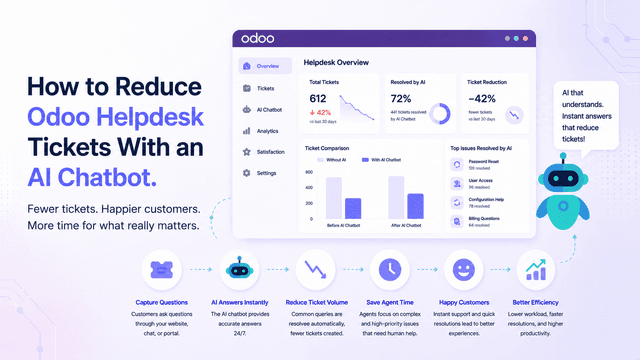
You can reduce Odoo Helpdesk tickets by using an AI chatbot to answer repetitive first-line questions before users create a ticket. The key is to train the chatbot on accurate support content, monitor repeated questions, and escalate complex issues to a human team.
Why Odoo Helpdesk tickets grow
Ticket volume usually grows when customers cannot find answers quickly. Common causes include:
- Missing FAQ content.
- Unclear documentation.
- Repeated setup questions.
- Account or policy confusion.
- Product or service questions that support answers manually.
- Website visitors using contact forms for basic questions.
An AI chatbot can handle the first layer of questions before a ticket is created.
What to automate first
Start with questions that are repeated and low-risk:
- Where is the setup guide?
- How do I contact support?
- What information should I provide?
- How do I use this feature?
- What is your policy?
- How do I request help?
Do not automate questions that require account-specific access, billing judgment, legal review, or sensitive customer data.
Step 1: Export or review repeated tickets
Review the last 30-90 days of tickets and group them by category. Find the questions your team answers repeatedly.
Create a table:
| Question | Current answer | Source page exists? | Automate? |
|---|---|---|---|
| How do I reset this? | Link to docs | Yes | Yes |
| Why was I charged? | Account-specific | No | Escalate |
| How do I install this? | Setup guide | Yes | Yes |
Step 2: Create clean knowledge content
For every repeated question, write a short, direct answer. Add it to your website, help docs, FAQ, or knowledge base.
Good content format:
- Question as heading.
- Direct answer in first sentence.
- Step-by-step instructions when needed.
- Escalation instruction if the issue is not solved.
Step 3: Train WhisperChat
Add the support content to WhisperChat as website URLs, documents, FAQs, or pasted text. Keep the content focused on real customer questions.
Step 4: Add the chatbot to Odoo
Install the free Odoo app, copy the chatbot ID from WhisperChat, and paste it into Odoo settings.
Step 5: Use escalation rules
Escalate when:
- The chatbot is unsure.
- The customer asks for billing/account help.
- The customer asks for a human.
- The conversation includes sensitive details.
- The issue is high-value or urgent.
Metrics to track
- Chatbot conversations.
- Questions answered without escalation.
- Escalated conversations.
- New tickets created.
- Repeated question categories.
- Usage-limit hits.
- Paid upgrades from active support users.
CTA
Reduce repetitive Odoo Helpdesk questions with an AI chatbot.
Primary CTA: Install Free Odoo App
Secondary CTA: Create Free WhisperChat Account
Internal links
/odoo-helpdesk-ai-chatbot/odoo-ai-chatbot/blog/odoo-knowledge-base-ai-chatbot
FAQ
Can an AI chatbot replace Odoo Helpdesk?
No. It should handle repetitive first-line questions and escalate complex cases to your team.
What tickets should be automated first?
Automate repeated questions that have stable answers in your docs, FAQs, or website content.
How do I know if ticket reduction is working?
Compare repeated ticket categories, chatbot conversations, and escalations before and after launch.