
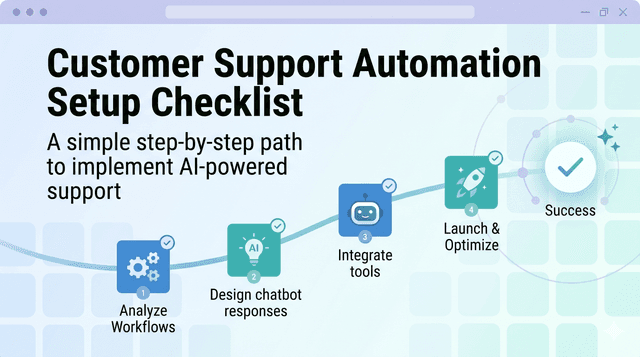
Customer Support Automation Setup Checklist
Streamline your customer support with automation. Learn how to set up workflows, select tools, and ensure seamless handoffs for enhanced service.
Want to improve customer support while cutting costs? Automating support can reduce expenses by up to 40% and boost revenue by 80%. With tools like Whisperchat AI, businesses can provide 24/7 assistance, handle repetitive tasks, and improve customer satisfaction. But to succeed, you need a clear plan.
Here’s a quick guide to setting up your automation system:
- Set Goals: Automate repetitive tasks to save time and focus on complex issues.
- Choose Tools: Look for integration, customization, scalability, and analytics.
- Train AI: Use real examples and a robust knowledge base for accurate responses.
- Enable Multi-Channel Support: Ensure consistent help across chat, email, and social media.
- Test and Monitor: Start small, track metrics, and optimize based on feedback.
Automation can handle most customer needs, but smooth handoffs to human agents are essential for complex cases. Tools like Whisperchat AI simplify this process with advanced features like multi-modal input, seamless integration, and detailed analytics. Start small, monitor performance, and refine over time to create a reliable system that works for your business.
Make Goals and Ways to Track Success
Before you start to use machines or tools to do jobs for you, decide what you want to get done. Pick simple jobs your team does a lot, since those are best for machines. When you do this, your team can save time and work better. They will have more time and energy for hard jobs, and your help for others will get much better. If you make goals at the start, you can check how you do later, and know what works well.
Make Simple Goals
Try to use machines or tools for jobs that happen over and over. This will help your team do more work with less effort. People can then help with hard problems, which helps them work better and feel less tired. Dividing the jobs well will help your team get more things done together.
Choose and Set Up AI-Powered Tools
Once you've outlined your goals, the next step is selecting tools that can enhance your customer support experience. The platforms you choose will directly impact the effectiveness of your automation and customer satisfaction. Picking the right tools now sets the foundation for long-term success.
Evaluate Automation Platforms
When evaluating automation platforms, focus on four key aspects: integration, customization, scalability, and analytics.
- Integration: Your chosen system must work smoothly with the tools you already rely on, such as your CRM, help desk software, or email platform. Seamless integration ensures your workflows remain efficient and uninterrupted.
- Customization: Look for platforms that allow you to tailor chatbots to match your brand’s personality and specific needs. This includes tweaking responses, tone, and even the chatbot’s appearance. Your automated support should feel like an extension of your team, not a disconnected, robotic entity.
- Scalability: As your business grows, your automation tools should grow with it. Choose a platform that can handle increased traffic and expanded capabilities in the future.
- Analytics: Platforms with robust analytics features give you insights into performance. Metrics like conversation success rates, customer satisfaction, and areas requiring human intervention can guide improvements over time.
Now, let’s see how Whisperchat AI incorporates these features into its platform to streamline support automation.
Review Whisperchat AI's Features
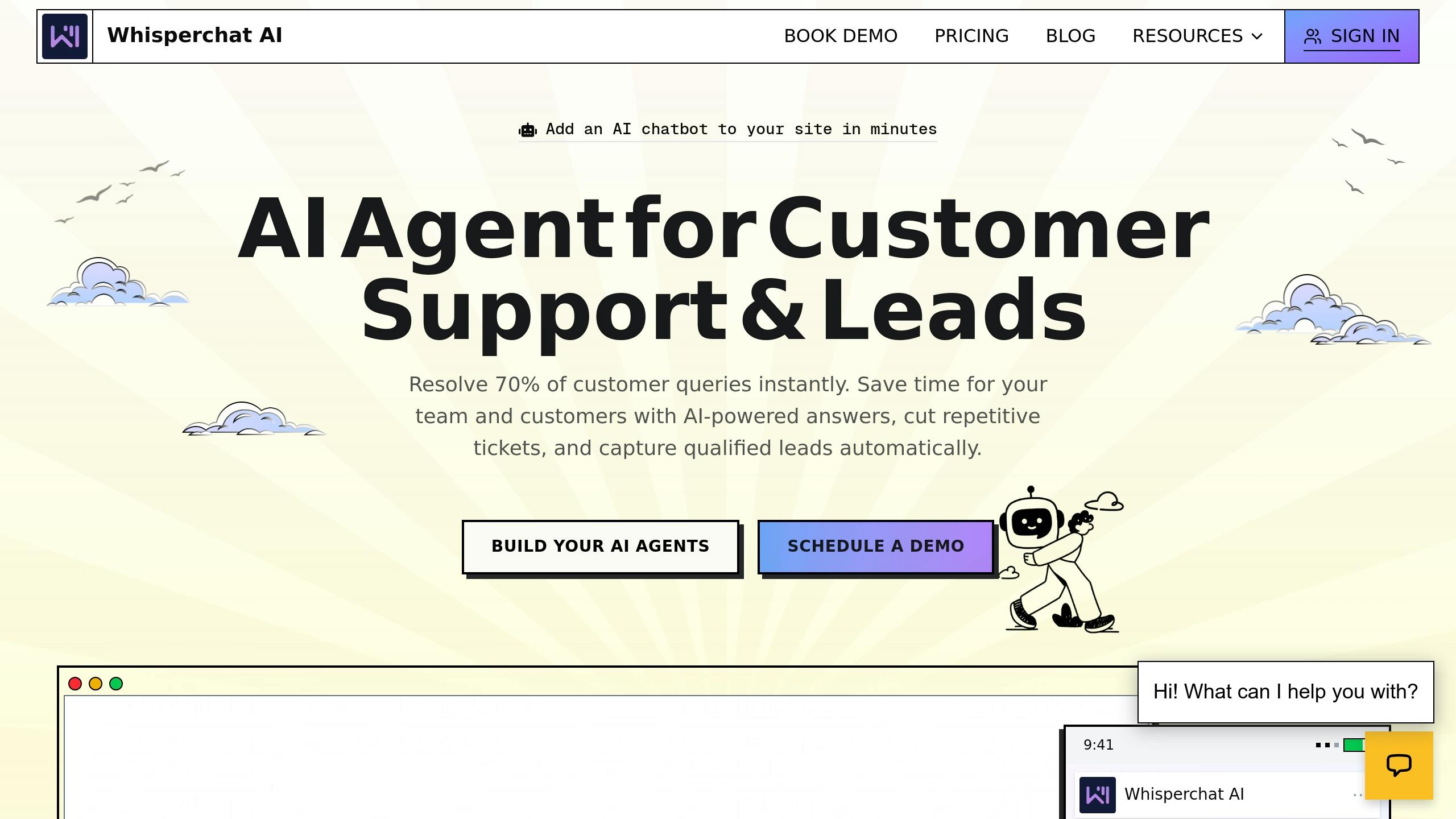
Whisperchat AI offers smart, context-aware interactions that align with your brand’s voice, making conversations feel natural rather than generic.
- Multi-modal input: Customers can engage through text, voice, or images, offering a variety of ways to interact. This flexibility improves the overall customer experience.
- Custom training with website content: Instead of building a knowledge base from scratch, you can upload existing materials like FAQ pages, user manuals, or support articles. This feature enables the AI to learn about your products and services quickly.
- Seamless integrations: Whisperchat AI connects effortlessly with popular business tools, allowing you to incorporate it into your existing workflows without major disruptions.
- Analytics dashboard: The platform provides detailed insights into performance metrics, helping you track trends and identify areas for improvement.
- 24/7 AI support: With round-the-clock availability, your customers can get assistance anytime, reducing the strain on your human support team while boosting customer satisfaction.
Compare Pricing Plans
Choosing the right pricing plan depends on your conversation volume, knowledge base size, and branding needs.
Plan | Monthly Cost | Message Credits | Chatbots | Character Limit | Key Features |
|---|---|---|---|---|---|
Hobby | $19.00 | 2,000 | 5 | 2,000,000 | Entry-level model access, unlimited website embedding, API access |
Growth | $49.00 | 5,000 | 10 | 4,000,000 | Expanded model access, unlimited website embedding, API access |
Standard | $99.00 | 10,000 | 20 | 6,000,000 | Comprehensive model access, unlimited website embedding, API access |
Unlimited | $399.00 | 40,000 | 40 | 11,000,000 | Full model access, unlimited website embedding, API access, white-label option |
When deciding on a plan, consider how many conversations you anticipate monthly and the number of chatbots you'll need. The character limit determines how much content you can use to train the AI, so ensure it aligns with the size of your knowledge base. All plans include unlimited website embedding and API access, giving you flexibility in deployment.
If branding is a priority, the Unlimited plan removes Whisperchat’s branding, allowing for a fully customized customer experience. You can start with a plan that fits your current needs and upgrade as your business grows.
Set Up Workflows and Train the System
Once you've chosen your automation platform, the next step is to create well-defined workflows and train your AI to handle customer interactions effectively. This ensures your automated support can address customer needs accurately and efficiently.
Map Out Workflows
Start by documenting your current customer support processes. This helps identify which interactions can be automated and highlights opportunities to streamline operations. For instance, map out ticket workflows to automatically categorize and route requests.
Clearly define escalation criteria, like when AI confidence is low or when a customer specifically asks for human assistance. Set appropriate response times for each escalation level, prioritizing urgent issues.
Design chat flows that guide customers step by step. Begin with broad categories such as Technical Support, Billing, or Product Information, and gradually narrow down the conversation to specific solutions. Keep each interaction focused on gathering one piece of information at a time to avoid overwhelming customers.
Ensure your automated responses align with your brand's tone. For example, if your company uses a casual and friendly voice, reflect that in all interactions. Finally, integrate these workflows with a well-organized knowledge base to ensure the AI delivers accurate and consistent information.
Build and Connect a Knowledge Base
With workflows in place, create a centralized hub for all your support content. Organize this resource by issue type so the AI can quickly access and deliver relevant answers.
When structuring FAQs, prioritize the most common questions at the top of each category. Analyze support tickets to identify recurring issues - if many billing inquiries relate to payment methods, make sure those answers are easy to find and clearly explained.
Write documentation in simple, straightforward language, using step-by-step instructions and visuals where helpful. Platforms like Whisperchat AI let you upload existing materials - such as FAQs, user manuals, and support articles - directly into the system. For example, the Unlimited plan supports up to 11,000,000 characters, offering plenty of space for detailed documentation.
Keep your knowledge base up to date by scheduling regular reviews. Outdated information can frustrate customers and erode trust. Assign team members to periodically update specific sections and track which articles generate follow-up questions to identify gaps or unclear content.
Train the AI System
Using Whisperchat AI's context-aware features, train the system with real-world support examples to ensure natural and accurate interactions. Include a variety of scenarios, from common questions to less frequent edge cases. For instance, some customers may share detailed descriptions of their issues, while others may provide only a few words. Train the AI to ask clarifying questions in a way that feels helpful, not intrusive.
If the AI encounters topics outside its scope, it should redirect customers to appropriate resources rather than attempting to guess. This approach builds trust and avoids confusion.
Regularly test the system with sample conversations to evaluate its performance. Check for relevance, accuracy, and tone. Use these tests to refine training data and make adjustments to workflows as needed.
Leverage Whisperchat AI's analytics dashboard to monitor performance trends. If certain queries often require human intervention, consider expanding training data for those scenarios or tweaking workflows to better utilize the AI's strengths. Continuous improvement is key to creating a seamless customer support experience.
Connect Automation Across Support Channels
Take your streamlined workflows to the next level by extending automation across all customer interaction channels. With your AI trained and workflows in place, you can create a seamless support experience that ensures customers receive consistent assistance - whether they’re reaching out via your website, email, social media, or phone.
Enable Multi-Channel Support
Your support channels - website chat, email, social media, and phone - should work together as a unified system. Design your AI to link interactions across these platforms while maintaining the context of every conversation.
Consistency is key. Each channel should offer quick, reliable responses so customers don’t feel neglected, no matter where they contact you. Whisperchat AI’s platform makes this easier by allowing you to embed chatbots across multiple websites and connect with various communication channels via API access. This flexibility means you can deploy the same trained AI across your digital touchpoints - like your website or mobile app - without needing to rebuild the system for every platform.
Set Up Human Handoffs
Not every issue can be resolved by AI, and that’s where human handoffs come in. Set up clear escalation rules to ensure a smooth transition when sentiment analysis detects frustration or when specific trigger phrases, like “I need to speak to someone,” arise.
Certain situations - like complex billing disputes or technical challenges that require account access - should automatically route to a human agent. Train your AI to recognize these scenarios by identifying key phrases or behaviors that indicate the need for human intervention.
"Set clear escalation rules: Configure AI chatbots to transfer conversations to human agents when sentiment analysis detects customer frustration or when a query exceeds the AI's capabilities".
When transferring a conversation, don’t leave your agents in the dark. Provide them with a full context of the interaction, including the customer’s initial query, AI responses, troubleshooting steps already taken, and relevant account details. This ensures agents can dive straight into solving the problem without making the customer repeat their story.
Thoroughly test your handoff process during setup. Agents should receive timely notifications when cases are transferred, and the conversation history must appear in their dashboard. A smooth transition not only prevents delays but also reinforces customer trust.
Connect with Backend Systems
To truly streamline support, integrate your automation with backend systems for seamless information flow. Connecting your AI to tools like CRM platforms, helpdesk software, and other specialized systems ensures instant access to customer history and account information, enabling more personalized responses.
"Connecting your automation tools to customer relationship management (CRM) platforms and helpdesk software creates a unified view of each customer's history" - Pete Weaklend, Author, TDS Global Solutions.
TDS Global Solutions demonstrated this in October 2025, showcasing how integration allows agents to access past purchases, prior support conversations, and unresolved issues - all without switching platforms. For billing inquiries, the system can automatically retrieve account details and recent transactions.
Additionally, tie your automation to ticketing systems so that AI interactions can generate support tickets when necessary. This ensures no issue is overlooked and provides a clear record for follow-up. The system should also update ticket statuses as the AI resolves issues or escalates them to human agents.
"Proper integration prevents information silos that lead to errors and duplicate work" - Pete Weaklend, Author, TDS Global Solutions.
Integrating analytics tools can further enhance your support system. AI should feed interaction data into your analytics dashboard, helping you track performance across channels, identify common resolution paths, and pinpoint areas where human assistance is most often required.
For specialized needs, connect to systems like inventory management for real-time stock updates or scheduling tools for seamless appointment booking. These integrations ensure your support system operates as a cohesive, efficient unit.
Test, Launch, and Monitor
Before rolling out your automation, it’s crucial to test it thoroughly and ensure it performs well in real-world scenarios. This step confirms that your automation aligns with your workflows and delivers consistent, efficient customer support.
Test with Real Customer Scenarios
Use your support ticket history to create realistic test scenarios. These should include common customer queries, edge cases (like slang, all caps, or multiple questions in one message), and interactions with incomplete information. The goal is to validate smooth responses and proper escalation when needed.
Don’t skip testing edge cases. For instance, what happens if a customer asks about a product that doesn’t exist? Your AI should handle these situations gracefully, maintaining a natural conversation flow.
Test how the system handles escalations by simulating phrases like, “I want to speak to a manager” or “This is ridiculous.” Ensure the AI triggers sentiment analysis and escalation protocols correctly. When the issue is handed off to an agent, confirm that the agent receives the full conversation history so they can pick up without missing a beat.
Your knowledge base integration also needs a close look. Ask the system questions that should pull specific answers from your documentation. Check that the responses are accurate, up-to-date, and properly formatted. If the AI references help articles or product pages, verify that the links are functional and lead to the right resources.
Finally, test your automation across every support channel. A conversation that works flawlessly on your website’s chat widget might behave differently on your mobile app or social media platforms. Consistency across all touchpoints is essential. Once you’ve confirmed everything works as expected, you’re ready for a controlled launch.
Launch and Optimize
After successful testing, begin with a soft rollout instead of routing all customer inquiries to the automated system right away. Start by directing a small percentage of incoming requests to the AI while keeping most handled by human agents. This measured approach allows you to monitor performance without overwhelming the system or risking customer dissatisfaction if issues arise.
Track performance immediately using Whisperchat AI’s dashboard. Focus on metrics like first response time, average resolution time, customer satisfaction scores, and your automation containment rate - the percentage of issues resolved without human intervention. Compare these metrics to your pre-automation baseline to understand the impact.
Gather customer feedback through brief post-interaction surveys. Ask questions like, “Did this resolve your issue?”. If you notice patterns in negative feedback - such as customers mentioning that responses feel robotic - adjust the AI’s tone and refine its training data.
Your support agents are another valuable source of feedback. Ask them which automated handoffs work well and which ones cause confusion. Their insights can help you identify recurring issues and refine your knowledge base or workflows accordingly.
Continuous improvement is essential. Use performance data to update automation rules, add responses for frequently asked questions that weren’t included in the initial setup, and expand your knowledge base as your products and policies evolve. These ongoing adjustments ensure your system keeps improving over time.
As AI technology advances, your automation can become even more sophisticated. Modern tools are increasingly adept at detecting customer frustration through sentiment analysis and offering personalized recommendations based on detailed customer profiles. Staying informed about these advancements can help you enhance your system and meet rising customer expectations.
Key Takeaways
Here's a quick rundown of the key steps to guide you through setting up your automation system effectively.
Start by defining clear, measurable goals - whether you're aiming for quicker response times, lower costs, or better customer satisfaction.
Selecting the right platform is crucial to your success. Whisperchat AI simplifies this process with features like intelligent conversations, multi-modal input, and seamless integration with your existing tools. Pick a plan that aligns with your current needs but can grow alongside your business.
Focus on building a strong knowledge base and mapping out customer journeys. The quality of your AI training depends heavily on the data you provide.
Multi-channel integration ensures a smooth, consistent experience for customers, whether they contact you via your website, mobile app, or social media. And when issues get tricky, proper human handoffs ensure a personal touch.
The testing and optimization phase is where long-term success takes shape. Begin with a soft launch to track metrics like first response time and the percentage of fully automated resolutions. Use feedback from both customers and agents to fine-tune your system, keeping it aligned with your business’s evolving needs.
Automation offers reliable 24/7 support and frees up your human agents for more complex, high-value tasks. With Whisperchat AI's custom training options, analytics dashboard, and support tools, you have everything you need to elevate your customer support experience.
Finally, review your support metrics and identify any problem areas to choose the Whisperchat AI plan that best meets your goals and implement the steps laid out here.
FAQs
How can I make sure complex customer issues are smoothly handed off from AI to human agents?
To make the transition of complex customer issues from AI to human agents as smooth as possible, start by establishing clear escalation guidelines. This involves defining precise rules for when and how AI should pass a conversation to a human agent. Without these, confusion can disrupt the customer experience.
Next, prepare your support team for seamless handoffs. Equip agents with access to the conversation history and any relevant context the AI has collected. This avoids the frustration of customers having to repeat themselves and ensures a more efficient resolution process.
Lastly, evaluate and improve your workflows regularly. Analyze customer feedback and performance metrics to pinpoint weak spots in the transition process. Use these insights to fine-tune the system, ensuring a better experience for both your customers and your team.
How can I choose the best Whisperchat AI pricing plan for my business needs?
When choosing the best pricing plan for Whisperchat AI, think about your business's size, the volume of customer interactions you handle daily, and your specific automation requirements. It's also worth considering the level of customization you might need and whether advanced tools like analytics or multi-channel integration are essential for your operations.
For smaller businesses, a basic plan might be enough to manage current demands. On the other hand, larger businesses dealing with higher interaction volumes could find premium plans with expanded features more suitable. Make sure the plan fits your budget and offers flexibility to grow alongside your business.
How can I track the long-term success of my automated customer support system?
To measure how well your automated customer support system is performing, keep an eye on key performance indicators (KPIs) such as customer satisfaction scores (CSAT), response times, and resolution rates. Regularly tracking these metrics will help you spot trends and pinpoint areas that need attention.
It’s also important to assess how well your AI tools are improving over time. Make updates to workflows, fine-tune chatbot responses, and grow your knowledge base to keep up with changing customer needs. By continuously improving your system, you can maintain reliable, high-quality support while boosting overall efficiency.